
Groundwire: VoIP SIP Softphone
Acrobits, s.r.o.Communication
3.474.00 Reviews
- Version
- 25.3.69
- Installs
- 50.00K
- Age Rating
- Everyone
Screenshots
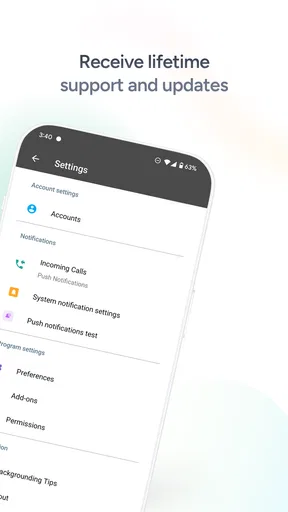
Our Review of Groundwire: VoIP SIP Softphone
 Analysis by Appyee
I see Groundwire: VoIP SIP Softphone as a specialist calling app rather than a replacement for the regular phone dialer everyone needs. It makes the most sense when you already have a SIP service and want a dedicated place to handle those calls. If that describes you, its appeal is practical: one app can bring several SIP accounts together, instead of making you jump between separate provider apps. If you simply want to call friends using the same familiar messaging service they already use, a mainstream calling app will probably be easier.
That distinction matters because a softphone is only one part of a calling setup. Groundwire is made by Acrobits, s.r.o., and it gives your SIP service a phone-style interface on a mobile device; it does not remove the need to choose and configure the service behind it. I’d think of it as a flexible control panel for internet calling, not as a phone plan in an app. The experience depends on having the right account details and a connection that can support calls.
Getting Started with Groundwire
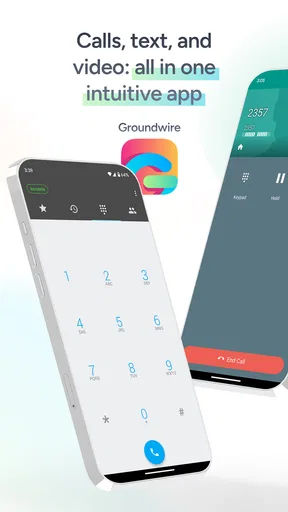
The first thing you’ll notice about Groundwire is its sleek and intuitive interface. It’s not one of those apps that require a degree in tech to figure out. I downloaded it from the app store, and within minutes, I was setting up my account. The setup process is straightforward—just follow the prompts, and you’re good to go. It's compatible with both Android and iOS, which is a huge plus for those of us who like to switch between devices.
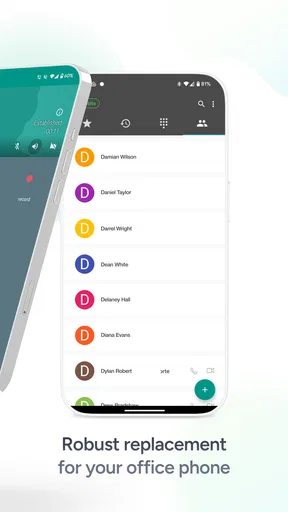
What’s more, the app supports a variety of SIP (Session Initiation Protocol) accounts. This means you can integrate multiple VoIP services into one app, making it super convenient if you’re juggling different numbers or services. Love multitasking? This app is your friend.
Useful ways to organize SIP calling
Multiple accounts are most valuable when they correspond to real parts of your day. For example, you might keep a work line and a separate personal VoIP line in the same softphone, so you can make calls from the appropriate identity without switching apps. Before relying on that arrangement, check which account is selected for outgoing calls; an easy-to-miss account choice can matter more than any dialer setting. Keeping a clear naming scheme for accounts also makes it less likely that you’ll place a call from the wrong line.
A realistic routine might be a freelancer returning client calls from a home office, then using a separate SIP account for a community group later. Groundwire can reduce the friction of managing those lines on one device. It is not, however, a magic way to make every number interchangeable: the services you have configured determine which caller identity and calling capabilities are available. I’d test each account with a familiar contact before making it the default for an important call.
Features That Stand Out
Now, let’s talk features because Groundwire is packed with them. First off, it has HD audio, which is a game-changer. We’re talking crystal clear calls that make you feel like you’re sitting right next to the person on the other end. No more "Can you hear me now?" moments.
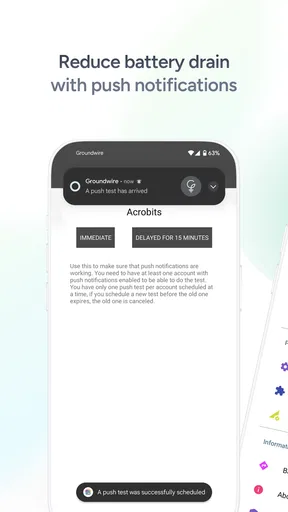
The app also excels in its support for video calls. Whether you’re catching up with family or having a business meeting, the video quality is top-notch. Plus, the app supports push notifications, ensuring you never miss a call even when the app is closed. It’s like having a personal assistant in your pocket.
Push notifications are particularly relevant for people who don’t want a calling app open on screen all day. In practice, I’d still distinguish between receiving an alert and being guaranteed to answer every call: notification behavior and call quality can be affected by the phone’s settings, connectivity, and the SIP service. If incoming calls are important, make a test call while the app is in the background and confirm that your device is allowed to show its alerts. That small check is more useful than assuming a softphone will behave exactly like the built-in cellular dialer.
Video calling is useful when the other person and the service support the same kind of call, but I wouldn’t choose Groundwire solely as a universal video-chat app. Friends and family are often already reachable through their preferred messaging platforms, while a SIP softphone is most compelling when it connects to a calling setup you control or use for work. For quick personal video chats, the app everyone already has may be the smoother option; for keeping SIP calling in one place, Groundwire’s broader role is more relevant.
Security is another area where Groundwire shines. It uses secure encryption protocols to protect your calls and data. In a world where privacy is paramount, this feature cannot be overstated. You can call with peace of mind knowing your conversations are private.
Where the flexibility asks more of you
The main trade-off is that SIP flexibility comes with setup responsibility. If a call fails, the cause may be the account configuration, the connection, or the service rather than the dialer alone. I’d keep the provider’s account details somewhere accessible and verify the basics before an important call: can the account register, can it place an outgoing call, and can another phone reach it? Checking those separately helps narrow down a problem instead of treating every failure as an app issue.
Network changes deserve a little attention too. A call that works over home Wi-Fi may behave differently on cellular data or a public network. Before depending on the app while traveling, I’d test it on the type of connection I expect to use and keep an alternative way to contact someone for urgent situations. Internet calling can be convenient, but it is not the same as having a guaranteed cellular call available everywhere.
Groundwire is also a paid app: it costs $9.49. That makes the decision different from trying a free mainstream dialer, especially if you have not yet chosen a SIP provider or only make occasional internet calls. I’d first confirm that a SIP account fits my needs, then decide whether a dedicated client is worth paying for. The cost is easier to justify when several accounts or regular work calls make the app part of a daily routine.
Why You’ll Love It
Honestly, what’s not to love? If you’re someone who values flexibility and functionality, Groundwire delivers in spades. The app allows you to easily switch between Wi-Fi and cellular data, ensuring you stay connected wherever you are. And let’s not forget the rich codec support, which optimizes call quality even in less-than-ideal network conditions.
That flexibility is most useful when treated as a choice to test, not a promise that every connection will sound identical. If you move between networks during the day, try a short call on each before relying on the app for a long conversation. A quiet room and a stable connection can improve a call more than repeatedly changing settings, while a weak connection may still limit any softphone. I’d use codec and network options as tools for troubleshooting, rather than assuming there is one setting that fixes every call.
Another thing that stood out to me was the support for call recording. It’s perfect for those moments when you need to revisit a conversation or keep records of business calls. Plus, the interface is customizable, so you can tweak it to suit your style. It’s little touches like these that make a big difference in user experience.
Call recording is a feature I’d use deliberately, not casually. Before recording a work discussion or interview, I’d check the rules that apply where I am and make sure the other person understands when that is required. For everyday calls, it may be more useful to keep a brief written note than to create recordings that need managing later. Customization has a similar practical limit: it can make frequent tasks easier to reach, but it is worth keeping the layout simple enough that you can find the dialer and account controls quickly.
Who Should Use Groundwire?
If you’re a frequent traveler, a remote worker, or just someone looking to cut down on hefty phone bills, Groundwire is worth checking out. The ability to use VoIP means you can make calls from anywhere with an internet connection, potentially saving you a bundle on international calls. Plus, businesses can take advantage of its robust features to streamline communication across teams.
For a small business or a solo professional, a useful workflow is to separate customer calls from personal ones while still carrying one device. You can keep a work SIP account available during business hours and use another line for personal calling, then review missed-call notifications when you are ready. This doesn’t replace the need to set expectations about availability, but it can make a mixed work-and-home phone routine more orderly. A frequent traveler may also appreciate using a configured account away from home, provided the connection and service are suitable.
For those who are tech-savvy, the app’s advanced features like call forwarding, voicemail, and integration with third-party services are a dream come true. But even if you’re not a tech guru, the app is user-friendly enough that you’ll feel comfortable navigating its features.
I would skip it if I have no SIP account, don’t want to troubleshoot account settings, or mainly need a free way to call people who already use a particular messaging app. A standard carrier dialer is a more direct choice for ordinary mobile calls, and a provider’s own app may be easier if I only use one VoIP service and want its bundled experience. Groundwire’s advantage is bringing SIP calling into a dedicated client; that advantage matters less when I have just one simple calling need.
Groundwire is a communication app with a 3.4 average from 678 ratings, and it has been installed over 50,000 times. It is rated for Everyone, first released on April 24, 2012, and its current version is 25.3.69, with Android 7.0 or later required. Those details give a sense of an established product, but they don’t answer the practical question of whether it suits your setup. I’d judge it by a test with your own SIP provider, your usual network, and the calls you actually make.
In a nutshell, Groundwire is a solid choice for anyone looking to enhance their communication setup. It’s reliable, feature-rich, and secure—a trifecta that’s hard to beat in the world of VoIP apps. So, if you’re ready to make the switch, give it a whirl and see how it transforms your calling experience.
My verdict for the right kind of caller
My recommendation is straightforward: choose Groundwire when you already have a reason to use SIP and want more control over how those lines work on your phone. Its strongest case is not replacing every communication app, but making multiple VoIP accounts easier to manage, with useful calling tools in one place. If you expect a zero-setup experience or only need the occasional internet call, a simpler alternative is likely a better fit.
Before committing to it as your main calling tool, I’d set up the account I use most, place and receive a few test calls, check alerts with the app in the background, and try both Wi-Fi and cellular data. That gives a clear answer to the questions that matter in daily use: whether my provider works well with it, whether incoming calls reach me reliably, and whether the sound is acceptable where I normally call. For the right SIP user, that practical flexibility makes the paid app worth considering; for everyone else, the extra setup may outweigh the benefit.
Verdict
Strengths of Groundwire: VoIP SIP Softphone
- High-quality voice calls over VoIP.
- Customizable interface and settings.
- Supports multiple SIP accounts.
- Integrates with Bluetooth devices.
- Secure with TLS and SRTP encryption.
Limitations of Groundwire: VoIP SIP Softphone
- Requires stable internet for best quality.
- Steep learning curve for beginners.
- Limited free trial features.
- Can drain battery quickly.
- Subscription required for full features.
Other Releases by Acrobits, s.r.o.
View All
Acrobits: VoIP SIP Softphone
Communication4.0
Similar Picks in This Category
View All
Google Messages
Google LLC4.6

Gmail
Google LLC4.1

Google Meet
Google LLC4.4

Google Chrome
Google LLC4.1

WhatsApp Messenger
WhatsApp LLC4.6

Carrier Services
Google LLC4.2
Frequently Asked Questions
What is Groundwire: VoIP SIP Softphone used for?
Groundwire is a powerful VoIP SIP softphone application designed to transform your mobile device into a professional-grade communication tool. It allows users to make and receive calls over the internet using VoIP technology, making it ideal for both personal and business use. With features like call recording, conference calling, and voicemail, it offers a comprehensive communication solution.
Is Groundwire compatible with all VoIP providers?
Groundwire is designed to be compatible with most SIP-based VoIP providers. Users can configure their accounts with ease, allowing for seamless integration with existing services. However, it is advisable to check with your VoIP provider to ensure full compatibility and optimal performance with the app.
Does Groundwire support video calls?
Yes, Groundwire supports video calling, which enhances its functionality as a comprehensive communication tool. This feature is perfect for users who need to conduct face-to-face meetings remotely or wish to have more personal conversations. Ensure your internet connection is strong for the best video call quality.
How secure is Groundwire for making calls?
Groundwire places a strong emphasis on security, utilizing protocols like SRTP and TLS to encrypt calls and protect user privacy. These measures ensure that your communications remain confidential and secure, making it a reliable option for sensitive business conversations and personal calls alike.
Can Groundwire be used over 3G, 4G, or Wi-Fi networks?
Groundwire is highly versatile and can be used over 3G, 4G, and Wi-Fi networks, providing flexibility in how and where you make your calls. While Wi-Fi generally offers the best call quality, the app is optimized to perform well over mobile data, allowing for consistent communication on the go.
